
PIONEER DJ · CDJ-3000 · REPAIR GUIDE
CDJ-3000 Touch Preview and Touch Cue Not Working – Pro DJ Link Checks
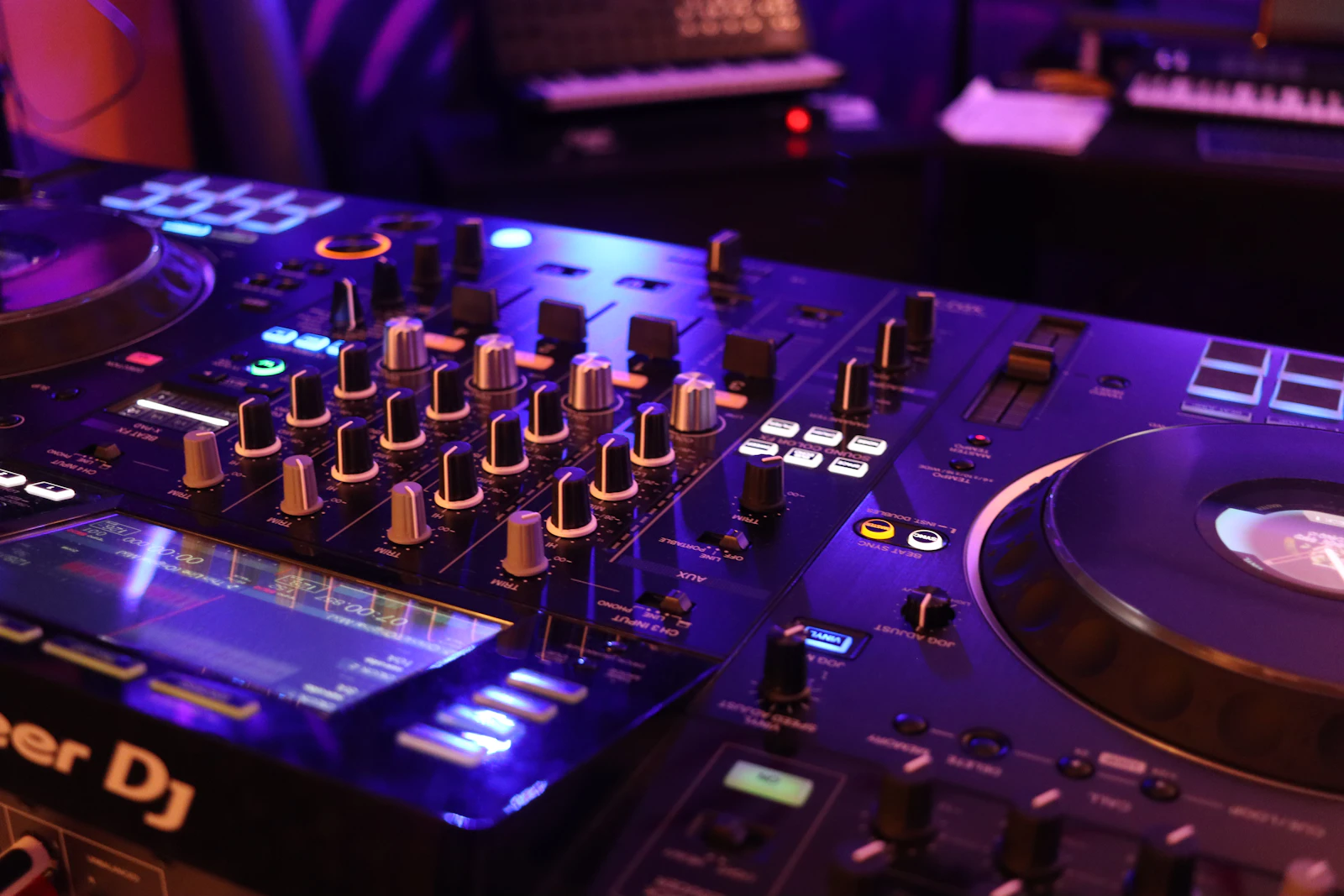
Touch Preview and Touch Cue are two of the most useful features on the Pioneer DJ CDJ-3000. Touch Preview lets you hear a track from the browse screen before loading it, and Touch Cue lets you listen to another part of the track that is already playing, simply by touching the waveform.
Both features depend on more than the player itself. They need the right mixer, the right connection and the right monitoring set-up, so when they stop working the cause is very often outside the CDJ. This guide explains how the features work, how to rule out set-up problems, and when a hardware fault is likely.
IDENTIFY THE FAULT
Common symptoms
- Touching PREVIEW on the browse screen and then the waveform produces no sound in the headphones.
- Touching the overall waveform during playback does not let you monitor that part of the track.
- The touch display ignores some touches or responds in the wrong place.
- The features work on one CDJ-3000 in a booth but not another.
- The features stopped working after a mixer, cable or firmware change.
What causes it
According to the CDJ-3000 instruction manual, both Touch Preview and Touch Cue need the player to be connected by Pro DJ Link to a DJ mixer that supports the feature. Headphones are connected to the mixer, and the LINK CUE button on the mixer is used to hear the preview. Without a compatible mixer, a working Pro DJ Link connection and LINK CUE engaged, the player has nowhere to send the preview audio.
That means the most common causes are set-up issues: a mixer that does not support the feature, a LAN cable that is unplugged or damaged, a switching hub problem, or LINK CUE not being pressed. A player number that clashes with another player on the network can also cause confusion on Pro DJ Link.
Hardware causes are less common but real. A touch display that does not register touches accurately will make both features unreliable, because they rely on touching the waveform. A failing LINK port or network fault inside the player can also stop the audio reaching the mixer.
Touch display problems versus Pro DJ Link problems
The quickest way to separate the two is to test other touch functions. If browsing, selecting tracks and other on-screen controls also miss touches or respond in the wrong place, the touch display is the more likely suspect. The CDJ-3000 has a touch display calibration option in its UTILITY settings, which is worth checking before assuming a hardware fault.
If the screen responds normally but no preview audio reaches the headphones, focus on the link. Check whether other Pro DJ Link features work, such as browsing a USB drive in another player. If they do not, the network is the problem rather than Touch Preview itself.
The manual also notes that a 1 Gbps or faster switching hub is needed when several players share one LAN port. A slow or failing hub can cause intermittent Pro DJ Link behaviour that looks like a player fault.
BEFORE YOU BOOK
Things to check before booking a repair
- Confirm the mixer you are using supports Touch Preview and Touch Cue.
- Check the LAN cable is firmly connected at both ends, and try a known-good cable.
- Make sure headphones are connected to the mixer and LINK CUE is pressed.
- Check each player has a different player number that matches its mixer channel.
- Test other touch functions on the screen, and check the touch display calibration in UTILITY.
- Try the same player on another mixer or network if you can.
If the features work on one player but not another in the same booth, swap the LAN cables and player numbers between them. If the fault follows the player, it is likely to be the player. If it stays with the position, look at the cable, hub or mixer port.
Note the firmware versions of the players and mixer when you contact the workshop, as compatibility depends on them.
WORKSHOP APPROACH
How we repair it
Ned starts by reproducing the fault on a known-good Pro DJ Link set-up with a compatible mixer, so set-up issues are ruled out before the player is opened.
If the touch display is not registering accurately, calibration is checked first, then the display and touch panel connections are inspected. If the player does not communicate correctly over Pro DJ Link, the LINK port and its connection to the main board are checked.
After any repair, Touch Preview, Touch Cue, browsing and general Pro DJ Link functions are tested together on a full set-up.
Why repair rather than replace
The CDJ-3000 is a current flagship player, and a fault in the display or link circuitry is normally far cheaper to repair than replacing the player.
Many reported Touch Preview faults turn out to be set-up issues. Ruling those out first saves time and avoids unnecessary work.
COMMON QUESTIONS
FAQ
Do Touch Preview and Touch Cue need a special mixer?
Yes. The manual says the player must be connected by Pro DJ Link to a compatible DJ mixer, with headphones on the mixer and LINK CUE pressed.
Can the touch screen be recalibrated?
Yes. The CDJ-3000 has a touch display calibration setting in its UTILITY menu.
Could a LAN cable cause this?
Yes. A damaged cable or slow switching hub can interrupt Pro DJ Link and stop the preview audio reaching the mixer.
For more information about the equipment supported at the workshop, see our audio repairs in Bristol page.
SOUND SOLUTION AUDIO REPAIRS · BRISTOL
Related repair guides: CDJ-3000 rekordbox tracks not loading and CDJ-3000 jog wheel problems.
Need help with your equipment?
Contact Ned with the exact model, a short description of the fault and when it happens, and any recent history such as a spill, drop, move or firmware update. Mention any upcoming booking so the repair can be planned around it.
Related repair guides: CDJ-900, CDJ-850 and XDJ-1000 Jog Wheel Repair · CDJ-2000 Jog Adjust Knob Returning to Zero · CDJ-2000NXS Jog Adjust Knob Fault · CDJ-2000NXS2 Black Screen